 04820cf120
* Add smooth setting enum

# Conflicts:
#	app/src/main/kotlin/de/timklge/karooreminder/KarooReminderExtension.kt

* Add rolling average setting to reminder ui

* Use smoothing for power trigger

* Update change log
Karoo Reminder Extension





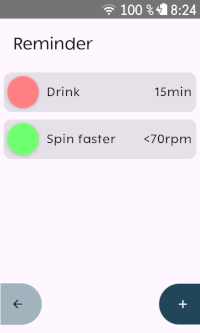
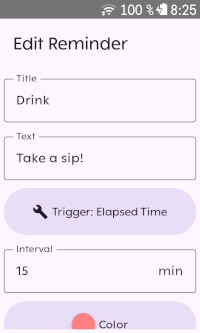
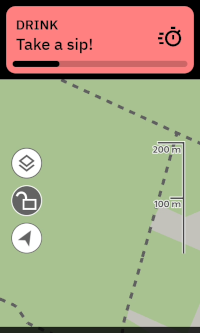
Karoo extension that displays in-ride alerts based on custom triggers. Reminders can be set to activate after a specific time interval, distance traveled, energy output or when a sensor value is outside a defined range (e.g., heart rate exceeds zone 2).
Compatible with Karoo 2 and Karoo 3 devices.
Installation
If you are using a Karoo 3, you can use Hammerhead's sideloading procedure to install the app:
- Using the browser on your phone, long-press this download link and share it with the Hammerhead Companion app.
- Your karoo should show an info screen about the app now. Press "Install".
If you are using a Karoo 2, you can use manual sideloading:
- Download the apk from the releases page (or build it from source)
- Set up your Karoo for sideloading. DC Rainmaker has a great step-by-step guide.
- Install the app by running
adb install app-release.apk.
Credits
- Icon is
timersby boxicons.com (MIT-licensed). - Reminder sound played over bluetooth is
SweetAlertSound5.wavbyKIZILSUNGURfrom freesound.org (CC0).