


Karoo Powerbar Extension
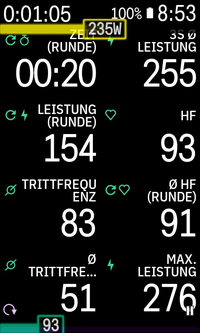
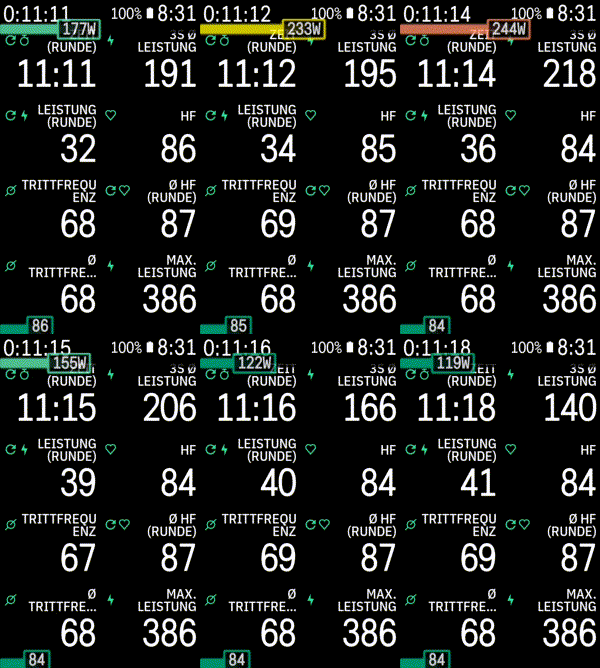
Simple karoo extension that shows an overlay power bar at the bottom of the screen. For Karoo 2 and Karoo 3 devices running Karoo OS version 1.524.2003 and later.
Usage
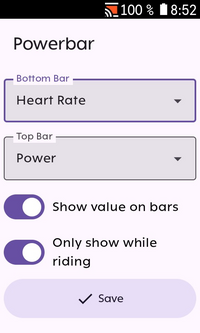
Install the app and start it from the main menu. You will be asked to grant it permission to show it on top of other apps (i. e. the karoo ride app). You can select one of the following data sources to be displayed at the bottom or at the top of the screen:
- Power
- Heart rate
- Average power over the last 3 seconds
- Average power over the last 10 seconds
Subsequently, the bar(s) will be shown when riding. Bars are filled and colored according to your current power output / heart rate zone as setup in your Karoo settings. Optionally, the actual data value can be displayed on top of the bar.
Installation
Currently, Hammerhead has not yet released an on-device app store that allows users to easily install extensions like this. Until it is available, you can sideload the app.
- Download the apk from the releases page (or build it from source)
- Set up your Karoo for sideloading. DC Rainmaker has a great step-by-step guide.
- Install the app by running
adb install app-release.apk.
Credits
- Icons by boxicons.com (MIT-licensed).
- Based on karoo-ext (Apache 2.0-licensed).
Hide powerbar from other apps
If you want to temporarily hide the powerbar from other apps when you show something on the screen
that would be hidden by the bar overlay, you can send a de.timklge.HIDE_POWERBAR broadcast intent to the app.
Optionally, include the following extras:
duration(long, ms): Duration for which the powerbar should be hidden. If not set, the powerbar will be hidden for 15 seconds.location(string,"top"or"bottom"): Location of the powerbar to hide. If not set, the powerbar at the top will be hidden.